


Cry Analyzer AI Baby Assistant
4.18.00 Reviews
App Specs
- Version
- 6.1
- Updated On
- License
- Free
- Downloads
- 100,000+
- Developer
- Digital HealthCare
- Categories
- Parenting
- Platform
- Android
Screenshots
 Analysis by AppCompare
Ever found yourself in the middle of a baby meltdown trying to decipher what that wailing actually means? Enter Cry Analyzer AI Baby Assistant, a nifty little helper designed to make life a tad easier for new parents. Let’s dive into my experience with this app and see what it’s all about.
My main takeaway is that this works best as a prompt for observation, not as an answer machine. It can give a tired parent another angle on a cry, but the useful part is still what you notice about your baby and what you do next. I’d treat any suggested interpretation as a possibility to check against feeding, sleep, comfort, and the wider situation.
A second opinion, not a substitute for your instincts
A practical way to use a cry analyzer is to pause before acting on its result. If it points toward hunger, for example, I’d consider when the baby last fed and look for other cues rather than assuming the app has settled the question. If the baby seems unwell or something feels seriously wrong, an app’s interpretation should never delay getting appropriate help.
This distinction matters because crying is not a neat set of isolated signals. A baby may be tired and uncomfortable at once, and the same sound can be difficult to interpret when there is activity around them. The app can help organize a moment of uncertainty, but it cannot see the baby, know the family’s routine, or replace a caregiver’s judgment.
Getting Started with Cry Analyzer AI Baby Assistant
First things first, downloading and setting up Cry Analyzer AI Baby Assistant is a breeze. Available on both Android and iOS, the app is lightweight and doesn’t demand much storage space – a blessing considering the thousands of baby photos and videos taking up all the room on my phone! Once installed, you’re greeted with a simple, user-friendly interface that makes navigation as easy as pie.
As a free parenting app from Digital HealthCare, it has a 4.1 average from around 3,100 ratings and over 100,000 installs. It is rated for everyone, and version 6.1 requires Android 8.0 or later. Those details make it easy to see whether it is a reasonable fit for a household’s device, while the free download means you can try its basic approach before deciding whether it suits your routine. In-app purchases are offered, ranging from $4.99 to $69.99 per item, so I’d check the purchase screen carefully before committing to anything.
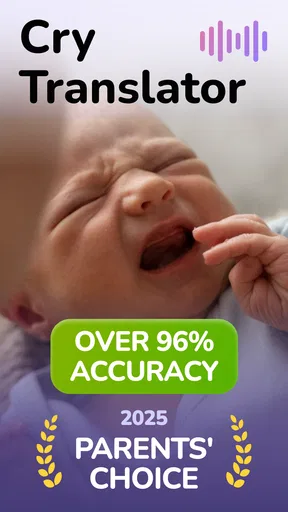
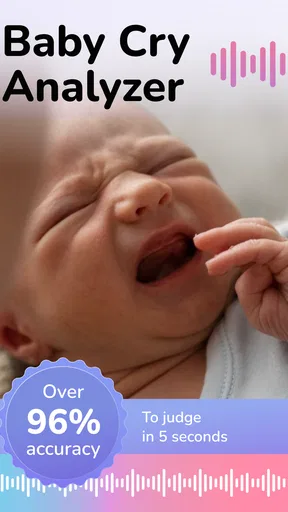
The app's main function is to analyze your baby’s cries and, using AI technology, provide insights into what your little one might be trying to communicate. Whether it’s hunger, sleepiness, or something else, the app aims to decode the mystery of baby language.
Worth Reading Before You Choose

EA SPORTS FC Mobile 26 Is a Bigger Football Game, but It Takes Time

Flipboard Shows What News Apps Must Do Beyond the Feed

Switching to Android Auto Means Rethinking Your Driving Routine

Google Calendar Makes a Crowded Week Easier to Manage

Ludo King Makes the Most of the Minutes Between Plans

Baby Panda World Brings Quick Play to Modern Phones, but Its Game Library Feels Busy
How Does It Work?
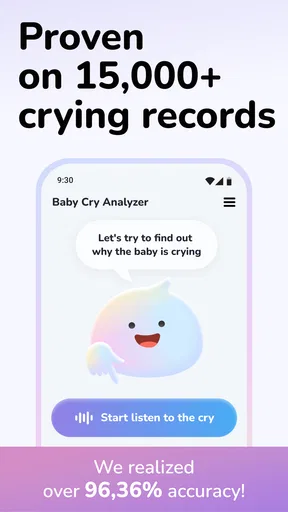
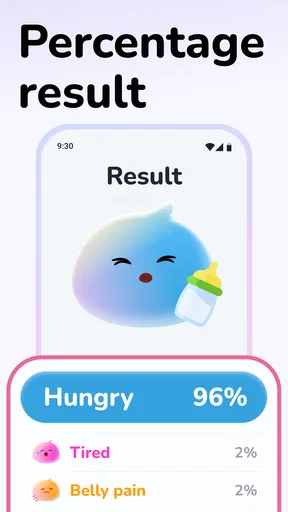
The process is straightforward. When your baby starts crying, you just open the app and press the record button. The app then listens for a few seconds before delivering its analysis. The results are presented in an easy-to-read format, showing you different categories like hunger, discomfort, or tiredness. It’s almost like having a personal baby translator right in your pocket!
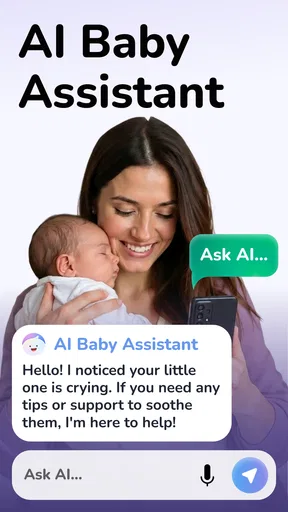
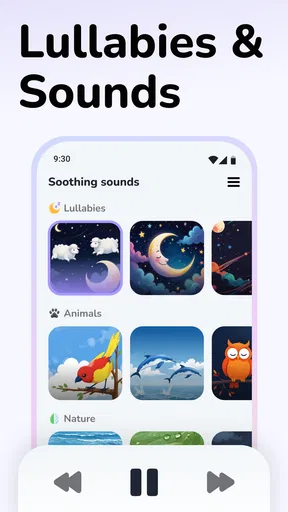
What’s cool is that the app doesn’t just stop at analyzing cries. It also offers suggestions on how to soothe your baby based on the detected need. For instance, if the app thinks your baby is hungry, it might recommend feeding or checking the diaper if discomfort is detected.
The most helpful workflow is to treat each result as one small clue in a short check-in: listen, note the suggested category, then compare it with what you already know. A quick look at the baby’s last feed or nap can make the output more actionable than simply following the suggestion on its own. If you are sharing care with someone else, describing the result aloud can also help you coordinate without turning the app into the decision-maker.
Real-Life Experience
Now, I was a bit skeptical at first. I mean, can an app really understand my baby better than I can? But after a couple of weeks of testing, I was pleasantly surprised. There were several instances where the app’s analysis matched what I suspected the issue was, like when it identified hunger or sleepiness. It’s not perfect, but it’s a great starting point, especially if you’re a first-time parent who’s still learning the ropes.
An unexpected perk was the peace of mind it offered. Sometimes, just having a second ‘opinion’ can be reassuring, particularly during those sleep-deprived nights when everything feels a bit overwhelming.
Where it fits into an ordinary day
Imagine you are home after a busy afternoon, the baby has been fed recently, and crying starts just as you are trying to settle them for a nap. Instead of guessing immediately, you can record a sample, consider the app’s suggestion, and then check the familiar basics: whether the baby is showing tired cues, needs a clean diaper, or settles when held. If the result points in a direction that does not fit what you see, trust the situation in front of you rather than forcing the suggestion to fit.
That kind of use makes the tool most valuable during uncertain but ordinary moments, especially for a new caregiver who wants a starting point. It is less useful when the baby is crying in a noisy room, when several people are talking nearby, or when you already know what is wrong and need to act quickly. In those cases, opening an app and trying to capture a clean sample can add friction instead of removing it.
Features I Loved
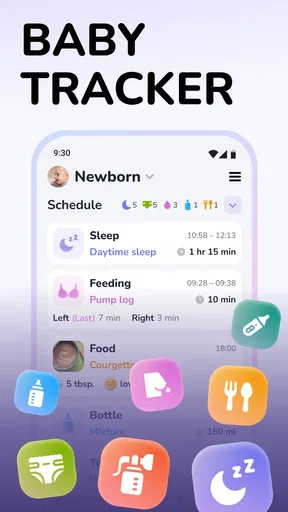
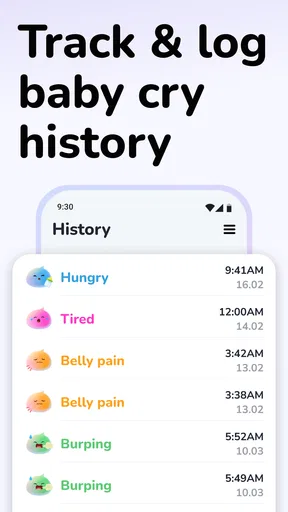
One of my favorite features is the history log, which keeps track of past analyses. This is super handy for noticing patterns in your baby’s behavior over time. You can see if there’s a recurring theme, like more hunger cues in the afternoon or increased discomfort at night, helping you adjust your routine accordingly.
The tips section is another neat addition. It’s packed with advice from pediatricians and experienced parents, offering guidance beyond just the app’s analysis. It’s a nice touch that shows the developers have thought about the broader needs of new parents.
The log is best used as a memory aid rather than a diagnosis. A single result can be off, but a repeated pattern may help you ask a more precise question about timing or routine. I’d avoid reading too much into one unusual entry; the practical value comes from looking across several everyday observations and discussing concerns with a qualified professional when needed.
How it compares with familiar alternatives
Compared with relying only on trial and error, the analyzer offers a structured suggestion at the moment you are unsure. Compared with a written feeding or sleep diary, its distinctive role is interpreting a recorded cry and pairing that interpretation with soothing ideas. Those approaches can complement one another: a log gives context over time, while the analyzer offers a quick prompt in the moment.
But a caregiver’s own observation is still the simplest and most immediate alternative. If you recognize a familiar cry or can see an obvious need, you do not need an AI result to validate it. A general parenting resource may also be a better choice when you want broader guidance rather than a quick cry reading. I see this app as most worthwhile for parents who like having one extra input, not for anyone expecting it to replace attentive care.
Room for Improvement
While I’ve had a mostly positive experience, there are a few areas where the app could improve. For one, the accuracy isn’t always spot-on. There were times when the analysis didn’t quite match up with what I eventually figured out my baby needed. However, given that it’s an AI tool still learning and adapting, this is somewhat expected.
Another aspect is the need for a quiet environment when recording. Background noise can sometimes interfere with the analysis, which isn’t always feasible in a bustling household. A bit more tolerance to noise would be a welcome update to make the app more versatile.
That limitation affects the best way to use it: take a recording when the room is reasonably calm, and do not keep trying to capture a better sample if the baby needs attention. The app is intended for babies from birth to two years, but a tool built around interpretation will not be equally helpful for every child or every cry. Parents who find that its results regularly add doubt, or who prefer not to rely on an automated reading, may be better served by their usual routine and trusted professional advice.
Final Thoughts
All in all, Cry Analyzer AI Baby Assistant is a handy tool for any parent navigating the early days of babyhood. It’s not a magic solution, but it offers valuable insights and a little extra support when you’re knee-deep in diapers and nursery rhymes.
If you’re looking for a way to make sense of those cries in the night, it’s worth giving this app a shot. Even if it just makes you feel a bit more confident in your parenting journey, that’s a win in my book. So, go ahead and download it from your app store to see how it can fit into your daily routine.
My recommendation is specific: try it if a quick second opinion and a history of past readings sound genuinely useful to you, and keep the suggestions in perspective. Skip it if you expect certainty, if your recording environment is consistently loud, or if another app purchase would be unwelcome. Used as a small aid alongside your own observations, it can make an uncertain moment feel more manageable without pretending that a phone can know your baby better than you do.
Pros
- Accurately identifies baby cries' needs.
- User-friendly interface for quick navigation.
- Supports multiple languages for global use.
- Real-time feedback for immediate response.
- Lightweight app that minimizes battery use.
Cons
- Requires stable internet connection.
- Limited offline functionality.
- Subscription model for full features.
- May not recognize all cry nuances.
- Initial setup can be time-consuming.
FAQs for Cry Analyzer AI Baby Assistant
What is Cry Analyzer AI Baby Assistant and how does it work?
Cry Analyzer AI Baby Assistant is an innovative app designed to help parents identify the reasons behind their baby's cries. Utilizing advanced AI technology, the app analyzes the sound of the baby's cry and provides insights into possible causes such as hunger, discomfort, or tiredness. This assists parents in addressing their baby's needs more effectively.
Is Cry Analyzer AI Baby Assistant accurate in interpreting baby cries?
While the app uses sophisticated algorithms to analyze cry patterns, it is important to note that no tool can guarantee 100% accuracy due to the unique nature of each baby. However, Cry Analyzer AI Baby Assistant is continually updated and refined to offer reliable insights based on extensive data and user feedback.
Does the app require an internet connection to function?
Cry Analyzer AI Baby Assistant primarily functions offline, allowing you to use its core features without an internet connection. However, certain features, such as updates and cloud-based data improvements, may require internet access. This ensures the app remains up-to-date with the latest developments in AI technology.
Is the app safe and secure to use with my baby?
Yes, the Cry Analyzer AI Baby Assistant is designed with user safety and privacy in mind. It does not store or share personal audio recordings without explicit user consent. The app complies with data protection regulations and ensures that all information is securely encrypted, providing peace of mind to parents.
What devices are compatible with Cry Analyzer AI Baby Assistant?
Cry Analyzer AI Baby Assistant is compatible with both Android and iOS devices. It supports a wide range of smartphones and tablets, ensuring that you can use the app regardless of your preferred platform. Make sure to check for any specific device requirements or operating system versions before downloading.


